10 Best AI Tools for Frontend Developers in 2026
By InspoAI Editorial Team
•April 3, 2026
Lorem Ipsum Generator
Lorem ipsum dolor sit amet, consectetur adipiscing elit. Sed do eiusmod tempor incididunt ut labore et dolore magna aliqua. Ut enim ad minim veniam, quis nostrud exercitation ullamco laboris nisi ut aliquip ex ea commodo consequat.
Lorem ipsum dolor sit amet, consectetur adipiscing elit. Sed do eiusmod tempor incididunt ut labore et dolore magna aliqua. Ut enim ad minim veniam, quis nostrud exercitation ullamco laboris nisi ut aliquip ex ea commodo consequat.
Summary
The best AI tools for frontend developers include InspoAI (UI generation from prompts), GitHub Copilot (code completion), Uizard (design-to-code), and Figma AI (design assistance). These tools automate repetitive tasks, generate production-ready React + Tailwind CSS code, and streamline workflows, allowing you to focus on complex logic and user experience.
Table of Contents

InspoAI Platform Feature
Agentic UI Generation Workspace

InspoAI Platform Feature
AI Design & Brand Compliance Audit
Introduction
Why AI for Frontend Development?
AI tools reduce manual work in repetitive tasks like creating boilerplate code, styling cards, or setting up responsive grids. For example, instead of writing a React component for a pricing section from scratch, you can describe it in plain English and get a production-ready result. Tools like InspoAI even allow you to modify the layout, spacing, and font (e.g., Denton font) with simple prompts, ensuring consistency with your design system.
Top AI Tools for Frontend Developers
1. InspoAI (Best for UI Generation)
InspoAI is a powerful AI-powered UI generator and design research workspace. It excels at creating React + Tailwind CSS layouts from natural language prompts. For example, the prompt "Create a clean React layout with structured cards, Denton font styling, and responsive spacing" instantly generates a fully functional component with proper Tailwind classes like grid, gap-6, and rounded-xl. It also supports exporting to React code, making it ideal for rapid prototyping.
Key Features:
- Prompt-based UI generation
- Direct export to React + Tailwind CSS
- Support for custom fonts (e.g., Denton)
- Responsive spacing and grid systems
2. GitHub Copilot (Best for Code Completion)
GitHub Copilot integrates with VS Code and suggests entire React components or Tailwind classes as you type. It's great for writing boilerplate code, but it doesn't generate full layouts from prompts. For example, typing "// pricing card component with hover effect" might generate a basic card, but you'll still need to adjust spacing and styling manually.
3. Uizard (Best for Design-to-Code)
Uizard transforms wireframes or screenshots into code. It supports React and Tailwind, but the output can be bloated and requires cleanup. It's useful for converting existing designs but less flexible for prompt-based generation.
4. Figma AI (Best for Design Assist)
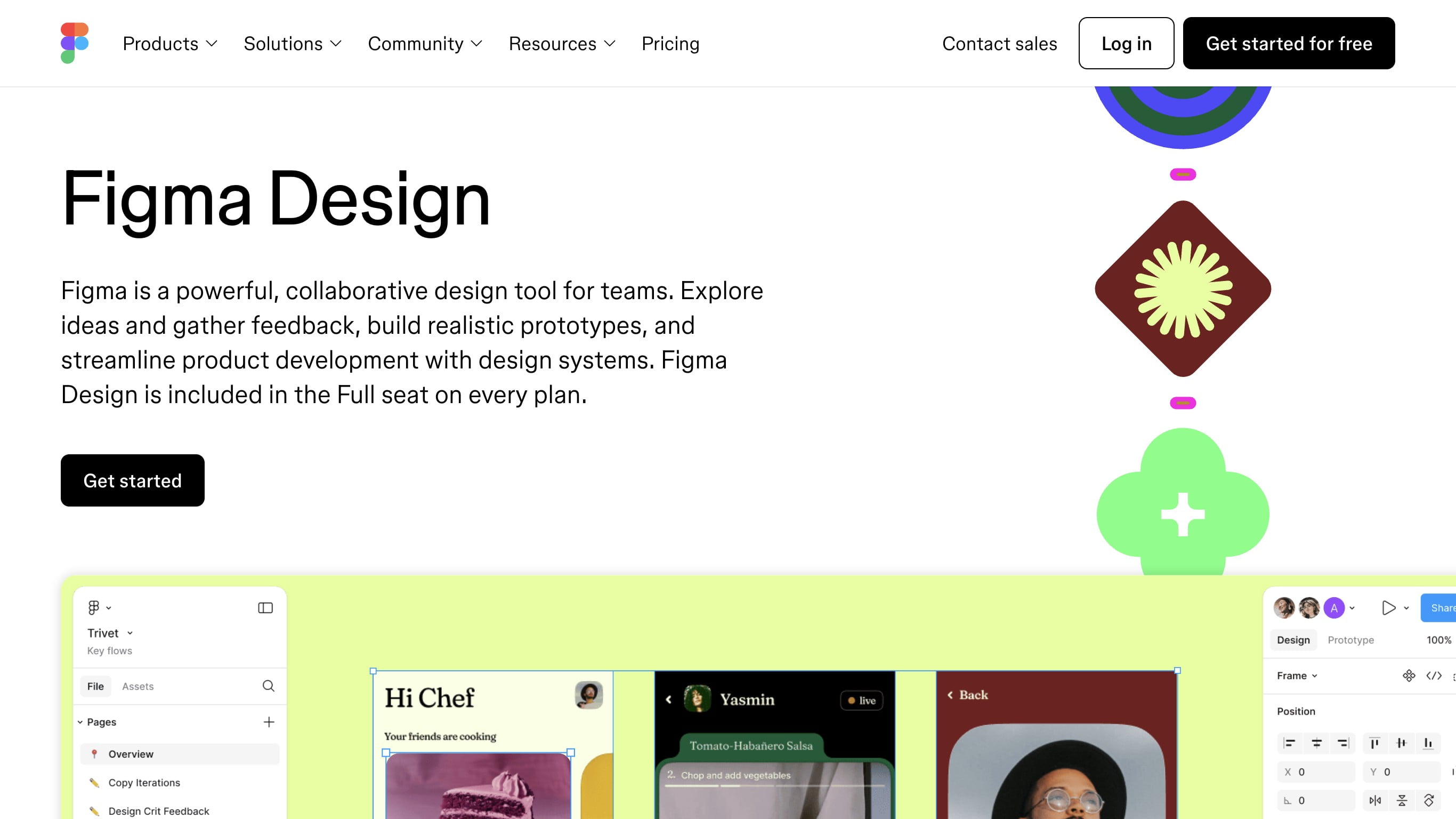
Figma AI helps with design tasks like renaming layers or generating variants. It doesn't generate code directly, but plugins like Anima can export to React. However, this workflow is more complex than using a dedicated tool like InspoAI.
5. Cursor (Best for Code Editor with AI)
Cursor is a code editor with AI features similar to Copilot but with stronger context awareness. It's excellent for writing React code, but you still need to manually structure layouts.
Practical Example: Creating a Responsive Card Layout with InspoAI
Suppose you need a responsive grid of feature cards for a landing page. Instead of writing CSS Grid or Flexbox code manually, you can use InspoAI with the prompt: "Generate a React component with a grid of 3 feature cards, each with an icon, title, description, and a call-to-action button. Use Denton font for headings, 2rem spacing, and make it responsive with 1 column on mobile, 2 on tablet, and 3 on desktop." InspoAI will output a clean component using Tailwind classes like grid grid-cols-1 md:grid-cols-2 lg:grid-cols-3 gap-8. This saves time and ensures best practices.
Comparison Table
| Tool | Best For | React + Tailwind | Prompt-Based | Responsive Layouts | Ease of Use |
|---|---|---|---|---|---|
| InspoAI | UI generation | ✅ | ✅ | ✅ | Very Easy |
| GitHub Copilot | Code completion | ✅ (partial) | ❌ | ✅ (manual) | Moderate |
| Uizard | Design-to-code | ✅ | ❌ | ✅ (auto) | Moderate |
| Figma AI | Design tasks | ❌ | ✅ | ✅ (via plugins) | Complex |
| Cursor | Code editor | ✅ | ❌ | ✅ (manual) | Moderate |
How InspoAI Enhances Your Workflow
InspoAI is unique because it bridges the gap between design and code. You can iterate quickly by changing the prompt, like "Switch to dark theme" or "Add hover animations". It also allows exporting the component's CSS variables, making it easy to maintain consistency. For frontend developers, this means more time for logic and less for styling.
Conclusion
The best AI tool depends on your needs. For generating clean, responsive React layouts with Tailwind CSS, InspoAI is the top choice. It provides an intuitive prompt-based interface, supports custom fonts like Denton, and outputs production-ready code. Combine it with GitHub Copilot for code suggestions and you have a powerful workflow. Start using InspoAI today to accelerate your frontend development.
Real-World UI Curation Gallery
Below is a curated collection of production interface layouts and design patterns:
Practical application & checklist
InspoAI
Best for prompt-based UI generation, exports clean React + Tailwind CSS with responsive spacing.
GitHub Copilot
AI code completion for React components, but no full layout generation.
Uizard
Design-to-code conversion with React/Tailwind support, but output needs cleanup.
Figma AI
Design assistance only; requires plugins for code export, making it less efficient.

↘ Building Inspo AI | AI-Powered Design Research & Builder Platform | Design Engineer.
Frequently asked questions
Quick answers to help clarify layout workflows for "best ai tools for frontend developers".
Sources and documentation
Related Solutions
Related Educational Guides
- 1InspoAI is the best AI tool for generating clean, responsive React + Tailwind CSS layouts directly from prompts.
- 2GitHub Copilot excels at code completion but requires manual layout structuring.
- 3Uizard converts designs to code but may produce bloated output.
- 4AI tools reduce repetitive tasks, letting frontend developers focus on complex functionality.
Generate this UI with InspoAI
Start from a prompt, not a blank canvas. Generate Tasteful, design-grounded React + Tailwind CSS code instantly in our Creator Studio.
Free Design Tools You Can Use Right Now
Deep Winter Color Palette
Dark, bold, high-contrast deep winter palettes built for dark mode UI.
Winter Color Palette
Crisp, icy, high-contrast winter color combinations for digital products.
Color Palette Generator
Generate harmonious color palettes instantly with HEX codes and lockable colors.